
A few months ago, I got an email from an address I didn’t recognize, and it bugged me for three days straight. Was it a scammer? An old coworker? Someone trying to sell me something? I didn’t want to reply and give away that I was curious,
so I went down a rabbit hole trying to figure out how to find someone by email for free. Turns out, there are actually a handful of legitimate ways to do this without handing your card details to some shady “people finder” website that charges $30 for a report you could’ve pieced together yourself in ten minutes.
If you’re in the same boat — trying to find someone by email for free because you got a weird message, you’re reconnecting with an old friend, or you just want to verify who’s on the other end of a conversation before you trust them with anything — this guide walks through the methods that actually work, in the order I’d try them myself.
Start With the Obvious: Just Search the Email Address
I know this sounds almost too simple, but most people skip it. Copy the exact email address, paste it into Google with quotation marks around it, and hit search. When you’re trying to find someone by email for free, this single step solves the mystery more often than you’d expect. People leave their email addresses everywhere — old forum posts, business directories, GitHub profiles, wedding registries, LinkedIn “contact me” sections.
If the email has ever been typed into a public webpage, there’s a decent chance Google indexed it. I’ve personally found someone’s full name and job title this way in under a minute, just from an email they’d used to sign up for a community forum back in 2016. Find someone by email for free
Check Social Media’s Built-In Search
Here’s something a lot of people don’t realize: Facebook still lets you search for a user by email address in some cases, provided the person hasn’t locked down their privacy settings for that specific field. The same goes for services like Skype, which historically has been one of the easiest platforms to find someone by email for free, since usernames often get tied directly to the email used at signup.
It won’t work every time — plenty of people disable this — but it costs you nothing to try, and when it works, it’s instant. I’ve used this trick to track down a former classmate whose new last name I didn’t know, just by plugging her old university email into Facebook’s search bar. Find someone by email for free
Try a Reverse Email Lookup Tool (The Free Ones, Not the Paywalled Ones)
There’s a whole category of tools built specifically to let you find someone by email for free, and while a lot of them try to funnel you into a paid report at the last second, several genuinely useful ones exist. Sites like Pipl, ThatsThem, or even a basic WHOIS lookup (if the email is tied to a domain someone registered themselves) can surface a name, a rough location, or linked social accounts.
I’d recommend trying two or three of these rather than relying on just one, because none of them pull from the same data sources — one might strike out completely while another hands you a full name and city on the first try.
Look at the Domain, Not Just the Address
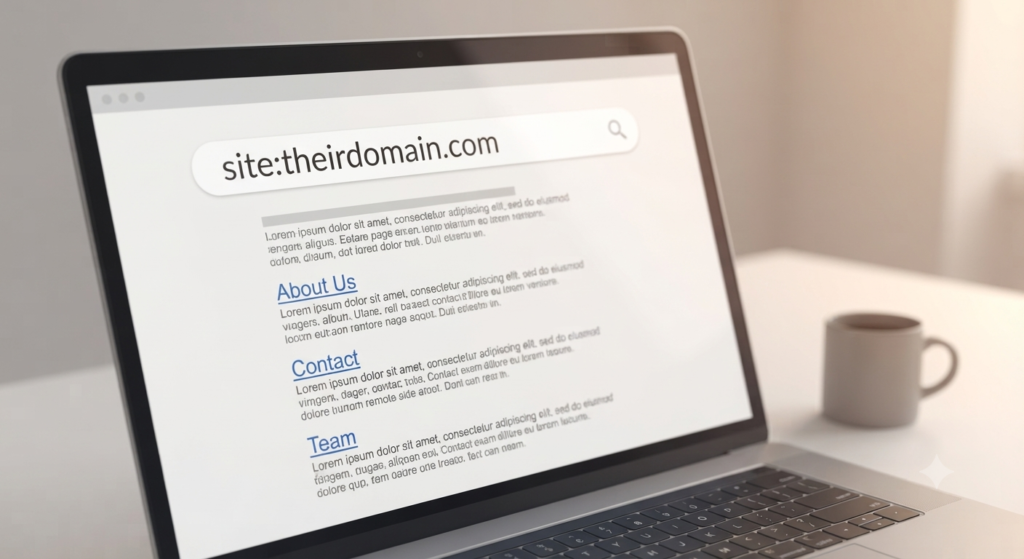
If the email isn’t a generic Gmail or Yahoo account and instead ends in something like @theirlastname.com or @somecompany.com, you’ve already got a massive head start. This is honestly one of my favorite tricks when I’m trying to find someone by email for free, because a custom domain almost always means there’s a real website behind it — a business site, a portfolio, a personal blog. Just drop the domain into your browser (skip the part before the @ symbol) and see what loads. I’ve done this and landed directly on someone’s “About Me” page with their full bio, phone number, and job title, all because their email happened to match their small business’s domain. Find someone by email for free
Use LinkedIn’s Search Bar Creatively
LinkedIn doesn’t let you search by email directly the way it used to (they tightened that up a while back), but there’s a workaround people overlook. If you know the person’s employer from the email domain, or you have a guess at their name from the local part of the address (like j.martinez@ or the initials before the @), you can combine that with LinkedIn’s regular search filters. It’s a bit of detective work, piecing together clues from the email itself, but this is genuinely how a lot of recruiters find someone by email for free every single day without paying for LinkedIn’s premium recruiter tools.
Don’t Skip the “Gravatar” Trick

This one’s a personal favorite because barely anyone knows about it. Gravatar (Globally Recognized Avatar) ties a profile photo to an email address across thousands of websites — WordPress comment sections, forums, and more. If you go to gravatar.com/[md5 hash of the email] (there are free tools online that’ll generate that hash for you instantly), you might pull up a profile photo and sometimes a linked bio. It’s a small trick, but I’ve used it to confirm whether an email actually belonged to the person claiming to own it, which is honestly the whole point when you’re trying to find someone by email for free in the first place — verification, not just discovery.
A Word on Doing This Responsibly
I want to be upfront about something here. Wanting to find someone by email for free is completely normal — reconnecting with people, verifying a stranger before a transaction, or just satisfying harmless curiosity are all fair reasons. But there’s a line between looking someone up using public information and using these methods to harass, stalk, or intimidate someone. If a person clearly doesn’t want to be found, or if you’re using this information to contact them repeatedly after they’ve asked you to stop, that’s not research anymore — that’s a problem. Use these tools the way you’d want someone to use them on you.
Putting It All Together
If I had to rank these methods by how often they actually work, I’d start with the plain Google search, move to checking whether the domain is personal or custom, then try a reverse lookup tool, and finally fall back on social platforms and the Gravatar trick for confirmation. Most of the time, you don’t need all six methods — you need two or three, used in the right order, to find someone by email for free without spending a cent.
What surprised me most when I started doing this regularly wasn’t that it worked — it’s that almost nobody needs a paid service to pull off what these “premium” people-search sites charge for. The information is already out there, scattered across the internet in places most people never think to check. You just have to know where to look, and now you do.
If you deal with a lot of emails at once — say you’ve scraped a list of contacts from somewhere and need to sort out who’s who, match emails to their websites, or clean up a messy batch of leads — a browser-based extractor tool can save you the manual work of doing this one email at a time. It’s the same idea as everything above, just scaled up for when you’ve got more than one mystery email to solve.